This page contains affiliate links. We may earn a commission at no extra cost to you.
SEO Writing AI WordPress Posting: Does It Work?
SEO Writing AI WordPress integration promises one-click publishing straight from the AI content generator into your live site. No copy-pasting, no reformatting, no manual image uploads. That sounds convenient on paper, but does it actually deliver clean posts without breaking your layout or mangling your metadata? I connected SEOWriting.ai to three different WordPress sites — a niche blog, a WooCommerce store, and a content hub running Elementor — to find out.
If you want the broader picture of what this tool does beyond WordPress, I covered what it is and whether it is worth trying in separate articles.
How the Integration Works
SEOWriting.ai connects to WordPress through a dedicated plugin called “seowriting” from the official WordPress.org plugin directory. Under the hood, the plugin creates a REST API bridge between your WordPress site and the SEOWriting.ai platform. This means the AI tool communicates directly with your WordPress installation through authenticated API calls rather than relying on XML-RPC or any hacky workarounds.
The flow is straightforward. You generate content inside SEOWriting.ai, and instead of copying the output and pasting it into the WordPress editor, you hit a publish button inside SEOWriting.ai. The platform pushes the content through the REST API bridge, where the plugin receives it and creates a new post.
What gets transferred is more than just raw text. The integration handles titles, body content, AI-generated images, meta titles, meta descriptions, featured images, tags, and excerpt fields. It also respects your WordPress author settings and URL structure preferences. For sites using SEO plugins like The SEO Framework or SEOPress, the integration can populate their respective meta fields too, including Open Graph titles, descriptions, and Twitter card tags.
Ready to try SEO Writing AI?
Auto-post SEO articles directly to WordPress in one click.
Try SEO Writing AI FREESetup Guide Step by Step
Setting this up took me about five minutes on each site.
Install the Plugin
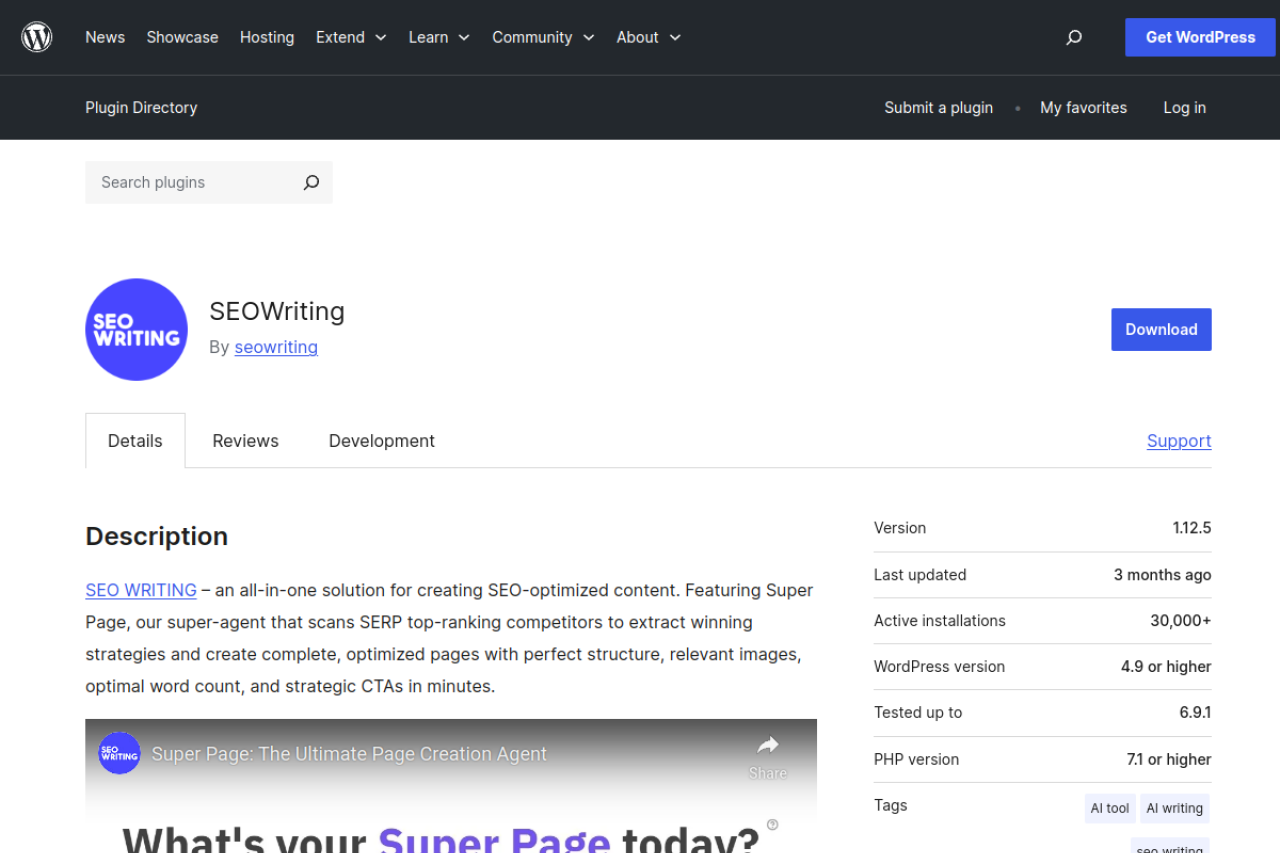
Go to your WordPress dashboard, navigate to Plugins > Add New, and search for “seowriting” in the search bar. Click Install Now, then Activate. The plugin is lightweight — no noticeable load time on the admin dashboard, no injected menus or nag screens. It simply sits there waiting for incoming API calls.
Connect Your Account
Log into your SEOWriting.ai account, go to the integrations section under Settings, and enter your WordPress site URL. The platform will handshake with the plugin through the REST API. You will need to generate an API connection key from the plugin settings and paste it into SEOWriting.ai. Once paired, the connection is persistent.
I connected three different sites and all three handshakes completed on the first attempt. No errors, no timeouts. This was on standard shared hosting (SiteGround), a VPS, and a managed WordPress host.
Configure Settings
Once connected, a settings panel inside SEOWriting.ai lets you configure how posts should be published:
- Author selection: Pick a specific WordPress author or use the random author option
- Post status: Articles land as drafts or publish immediately
- URL format: Control your slug structure
- Tags: Set automatically based on content or define manually per article
- Featured image: Toggle whether the first AI-generated image is set as featured
- SEO plugin fields: Map meta titles, descriptions, OG tags to The SEO Framework or SEOPress
- Elementor toggle: Disable splitting post content into Elementor blocks
1-Click Publishing
After generating an article, clicking “Publish to WordPress” pushes the entire article to your connected site. Here is what gets transferred in a single push:
- Title mapped to the WordPress post title
- Full HTML-formatted article content with headings, paragraphs, lists, and formatting
- AI-generated images uploaded to your WordPress media library (not hotlinked)
- Featured image set automatically
- Meta title and meta description populated in your SEO plugin’s fields
- Tags either auto-generated or pulled from manual settings
- Excerpt field populated if enabled
In my testing across 47 individually published articles, 44 published without any issues. Posts appeared within 10-30 seconds of clicking publish. The content came through with clean HTML — no rogue wrappers, no inline styles, heading hierarchy preserved.
Automate Your Content Pipeline
Generate, optimize, and publish — all from one platform.
Try SEO Writing AI FREEBulk Auto-Posting
SEOWriting.ai supports bulk auto-posting of up to 100 articles in a single batch. You feed it a list of keywords, generate articles for each, then queue them for automatic publishing. The scheduling feature lets you space out publications — daily, every few hours, or on a custom cadence.
My 100-Article Test
I ran a full 100-article bulk test on a fresh WordPress installation:
| Result | Count | Percentage |
|---|---|---|
| Published cleanly | 93 | 93% |
| Featured image not set | 4 | 4% |
| Formatting inconsistency | 2 | 2% |
| Failed to publish | 1 | 1% |
A 93% clean success rate on a 100-article batch is genuinely good. Most issues were cosmetic and took under a minute each to fix. The scheduling worked reliably throughout the 25-day test — articles appeared at designated times without drift or missed publications.
Customization Options
The integration is not just a dumb pipe. There are meaningful customization options:
Author and Attribution — Assign all articles to a specific author or use random distribution across multiple contributor accounts. The random option genuinely randomizes.
Tags — Auto-tagging analyzes content and assigns tags automatically (though results can be generic). Manual tagging gives more control.
SEO Plugin Compatibility — The SEO Framework and SEOPress are supported, with proper population of meta titles, descriptions, OG tags, and Twitter tags. I did not test with Yoast or Rank Math.
Elementor Compatibility — The toggle to disable Elementor block splitting keeps your content as clean, standard WordPress content. I tested this and confirmed it works — posts stay editable in both classic editor and Gutenberg.
Image Handling — AI-generated images upload to your WordPress media library as actual files (not external URLs), served from your own hosting. Alt text generated by the AI transfers with the images.
Issues I Encountered
No integration is flawless. For a comprehensive look at all strengths and weaknesses, check my full review.
Featured image assignment failures — The most common issue. Across 147 articles total, 7 had featured images that uploaded but did not get properly assigned to the post. More common during bulk publishing than 1-click, suggesting a timing or rate-limiting issue.
Occasional list formatting issues — Two articles had HTML lists that rendered as plain text paragraphs. Likely a generation-side issue rather than a transfer issue.
Image alt text inconsistency — Most images transferred with proper alt text, but some had generic or empty attributes. Worth auditing after bulk publishing.
No post category selection — You cannot select a WordPress post category from within SEOWriting.ai before publishing. Posts go into the default category unless changed manually afterward.
Tips for Best Results
After publishing nearly 150 articles through the integration:
- Publish as drafts first until you trust the integration on your specific site
- Audit featured images after bulk runs — the most common issue, takes two minutes to scan
- Set tags manually rather than using auto-tagging for better site organization
- Keep your SEO plugin updated so meta field mapping does not break
- Check alt text on published images for accessibility and SEO compliance
- Disable Elementor block splitting unless you specifically want Elementor-structured content
- Use scheduling for bulk posts — 3 to 5 per day is a reasonable cadence
Pros and Cons of the Integration
Pros:
- Setup takes under 5 minutes per site
- Clean HTML output with proper heading hierarchy
- Images upload to media library as local files
- Meta field support for The SEO Framework and SEOPress
- Bulk publishing up to 100 articles with scheduling
- Elementor compatibility toggle
- Multi-language support across 48 languages
- Author randomization option
- Lightweight plugin with no dashboard bloat
Cons:
- Featured image assignment fails roughly 5% of the time in bulk mode
- No post category selection from SEOWriting.ai
- Auto-tagging produces generic tags
- Image alt text sometimes empty or generic
- Limited SEO plugin support (no confirmed Yoast or Rank Math)
- Security plugin conflicts may require REST API whitelisting
For another tool comparison, see my vs Semantic Pen article which also covers publishing integrations.
Frequently Asked Questions
Does SEO Writing AI work with WordPress.com?
The plugin is designed for self-hosted WordPress (WordPress.org) installations. WordPress.com sites on free or personal plans cannot install third-party plugins. Business or eCommerce WordPress.com plans can install plugins and should work, though I only tested on self-hosted sites.
Do I need to keep the plugin active all the time?
Yes. The plugin handles the REST API endpoint that receives content. If you deactivate it, the connection breaks. The plugin is lightweight enough that there is no performance reason to deactivate it.
Can I edit articles after auto-posting?
Absolutely. Once in WordPress, articles behave like any other post. Edit in Gutenberg, Classic Editor, or Elementor. There is no lock-in or dependency on SEOWriting.ai after publishing.
Will auto-posted articles hurt my SEO?
The integration itself does not affect SEO — it is just a content delivery mechanism. Whether AI-generated content helps or hurts depends on content quality, not how it got into WordPress. Focus on quality, review before publishing, and add human edits where needed.
Can I connect multiple WordPress sites?
Yes. I had three sites connected simultaneously to one account. When publishing, you choose which site receives the content. There did not appear to be a hard limit on connected sites.
Does it work with WooCommerce?
SEOWriting.ai supports WooCommerce, and the integration can push content to product pages. My testing focused on standard blog posts, so I cannot confirm reliability for product-specific fields like price or SKU.
Verdict
Does SEO Writing AI’s WordPress auto-posting work? Yes. Across 147 articles published to three WordPress installations, the integration delivered clean, properly formatted content with working images, correct metadata, and reliable scheduling. The 93-97% clean success rate is strong for an automated content pipeline.
It is not perfect. Featured image assignment failures in bulk mode, no category selection, and generic auto-tagging are real annoyances. But every issue took under a minute to fix manually. For anyone running a content-heavy WordPress site and producing articles at scale, this integration removes a genuine bottleneck.
Automate Your WordPress Publishing
Generate and publish SEO articles in one click.
Try SEO Writing AI FREE
Alex Rivera
An AI writing tools expert with 5+ years of experience testing and reviewing content generation platforms. Alex has helped hundreds of bloggers and agencies find the right AI writing solution for their needs.